Strawberry Matcha
An AI assistant for people preparing a marriage-based green card application without a lawyer.
- Role
- AI Product Designer + Builder
- Tools
- Cursor, Claude API, Supabase, Figma
- Status
- Shipped · Private access
Outcome
Designed, built, and shipped
Strawberry Matcha is an AI assistant for people preparing a marriage-based green card application without a lawyer. It connects case intake, personalized guidance, form preparation, and next steps. I took it from research and design through development and deployment.
Problem
Filing alone leads to mistakes. General AI makes it worse
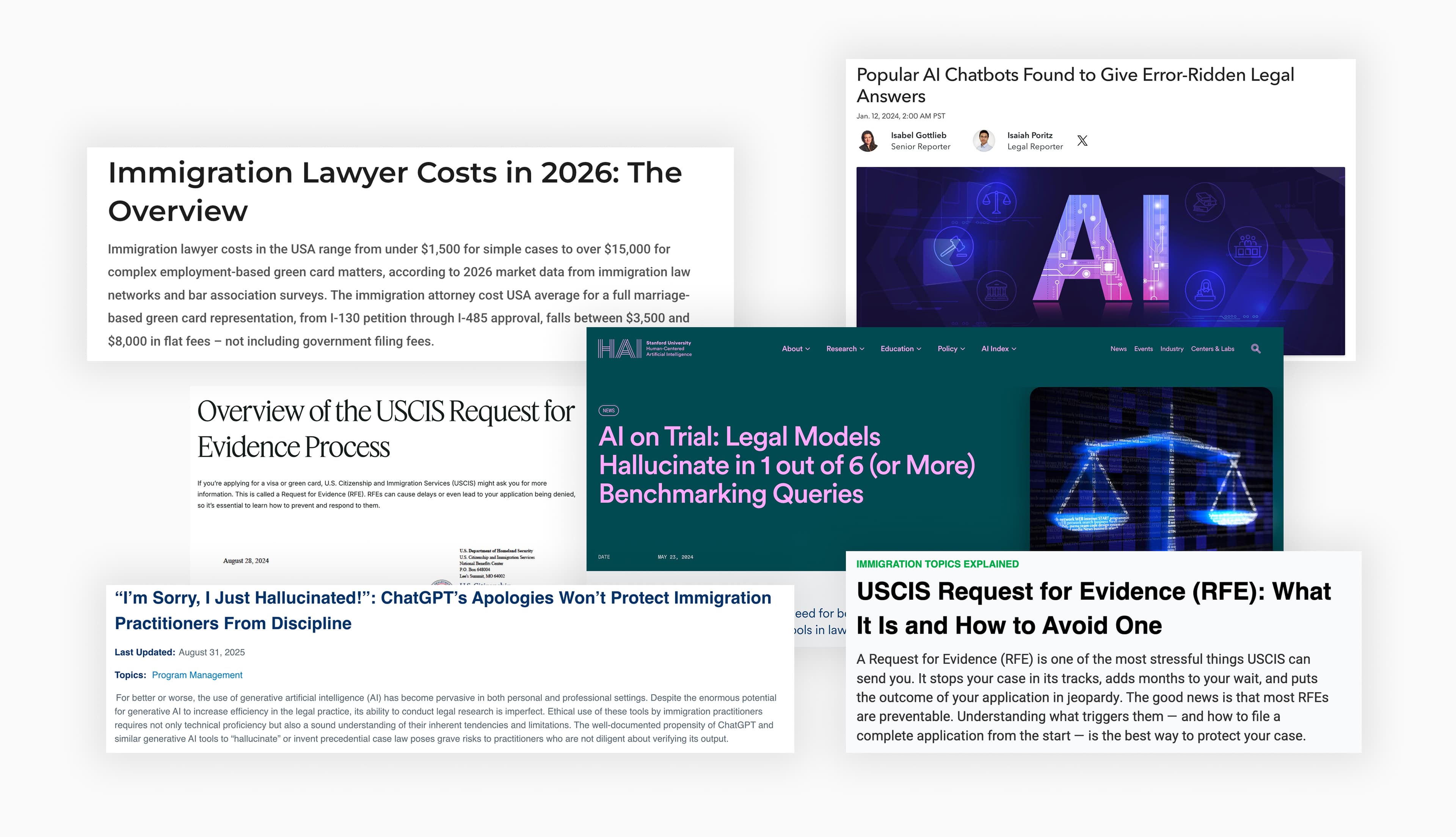
Many couples applying for a marriage-based green card file without a lawyer. Legal fees run thousands of dollars, and the process looks doable, so they handle it themselves. Then the details catch up. 1 in 4 applicants gets a Request for Evidence for avoidable errors, and each one adds three to five months. General AI doesn't fill the gap. It hallucinates on legal details and answers for a generic case, not theirs.
Solutions
Ask Strawberry Matcha
A conversation connected to the applicant’s case
I designed the chat around case status and preparation progress. Responses use that context, and the case updates as the conversation continues.
Field Translator
Connecting personal details to form fields
I designed Field Translator to use an uploaded form’s fields alongside the applicant’s case data to suggest field-by-field entries. The example below shows a Korean address mapped to the form’s address fields.
User input
Free-form Korean address as the applicant naturally writes it.
USCIS form output
- ProvinceSeoul
- City or TownGangnam-gu
- Street NameTeheran-ro
- Street Number123
- Apt / UnitDong 101, Ho 202
Parsed and reformatted into the exact fields each USCIS form expects.
Timeline guidance
Showing the current stage and what comes next
Each milestone shows where the applicant is in the process, what the step actually means, and what usually happens next, so the case never feels like a black box.
How I Built
From concept to crafted product in five steps
- 01Domain research
Define concept & Research to train the AI
Mapped how immigration lawyers actually walk a couple through CR1 / F2A.
- 02Cursor plan mode
Design System Architecture
Used Cursor's plan mode to map out the full system as a diagram, so I could see how every piece fit before writing code.
- 03Cursor prototype
Fast validation
Used Cursor to spin up a working prototype quickly, so I could test the idea with real applicants before investing more.
- 04Real applicants
Iterations
Reworked chat structure and onboarding based on where trust was breaking.
- 05Figma polish
Craft refinement
Polished the UI in Figma, tightening tone, pacing, and visual hierarchy across the whole product.
- 01
Domain research
Define concept & Research to train the AI
Mapped how immigration lawyers actually walk a couple through CR1 / F2A.
- 02
Cursor plan mode
Design System Architecture
Used Cursor's plan mode to map out the full system as a diagram, so I could see how every piece fit before writing code.
- 03
Cursor prototype
Fast validation
Used Cursor to spin up a working prototype quickly, so I could test the idea with real applicants before investing more.
- 04
Real applicants
Iterations
Reworked chat structure and onboarding based on where trust was breaking.
- 05
Figma polish
Craft refinement
Polished the UI in Figma, tightening tone, pacing, and visual hierarchy across the whole product.
Iterations
Restructuring answers around a next step
What testing revealed
In testing, users skimmed long answers, asked me to repeat information already on screen, and abandoned tasks.
Why I changed the format
I explored three response formats. I chose an acknowledgment, structured information, a focused case question, and suggested follow-ups to keep the exchange conversational while giving users a clearer way to continue.
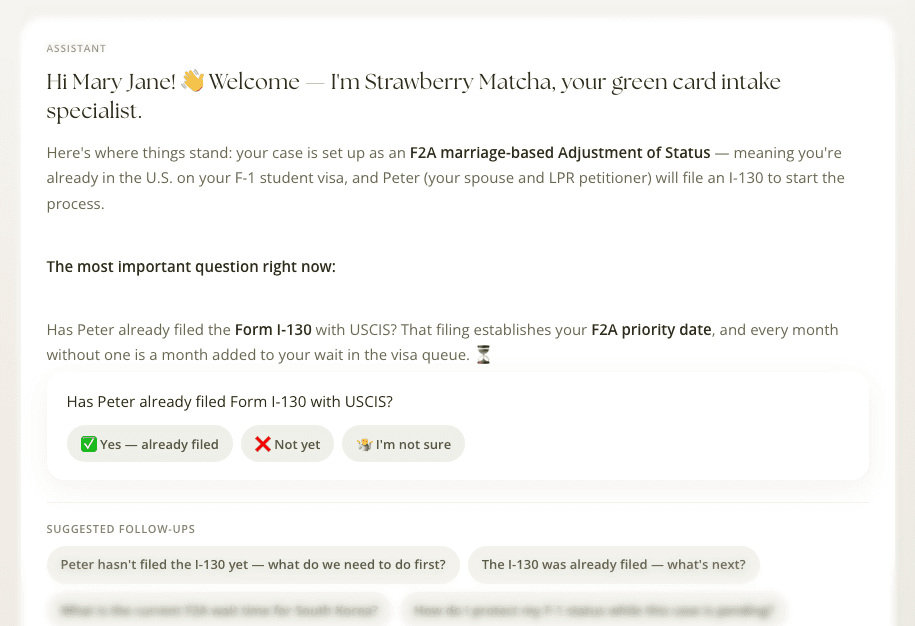
Three design explorations. Version 3 was selected for the prototype.
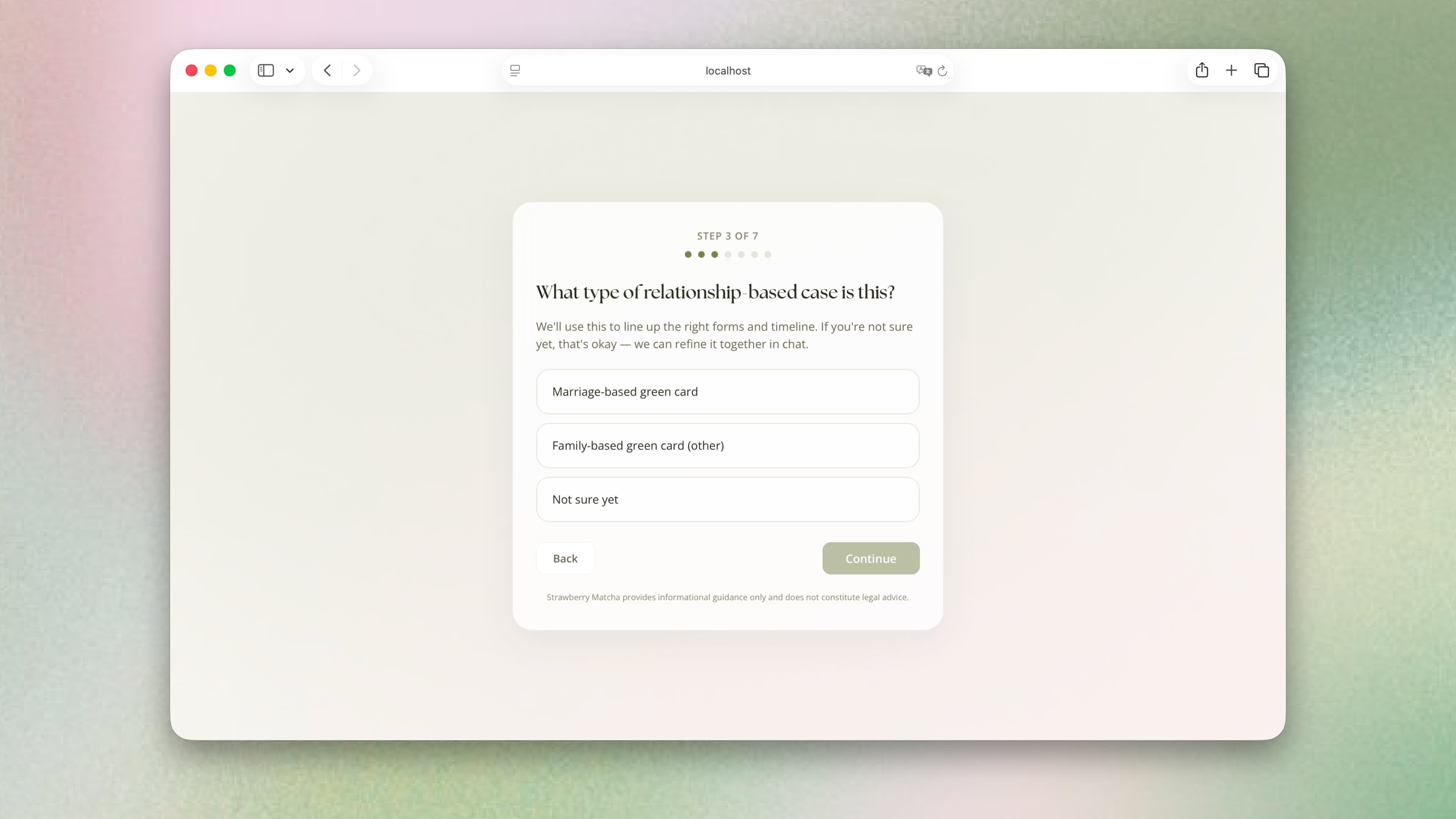
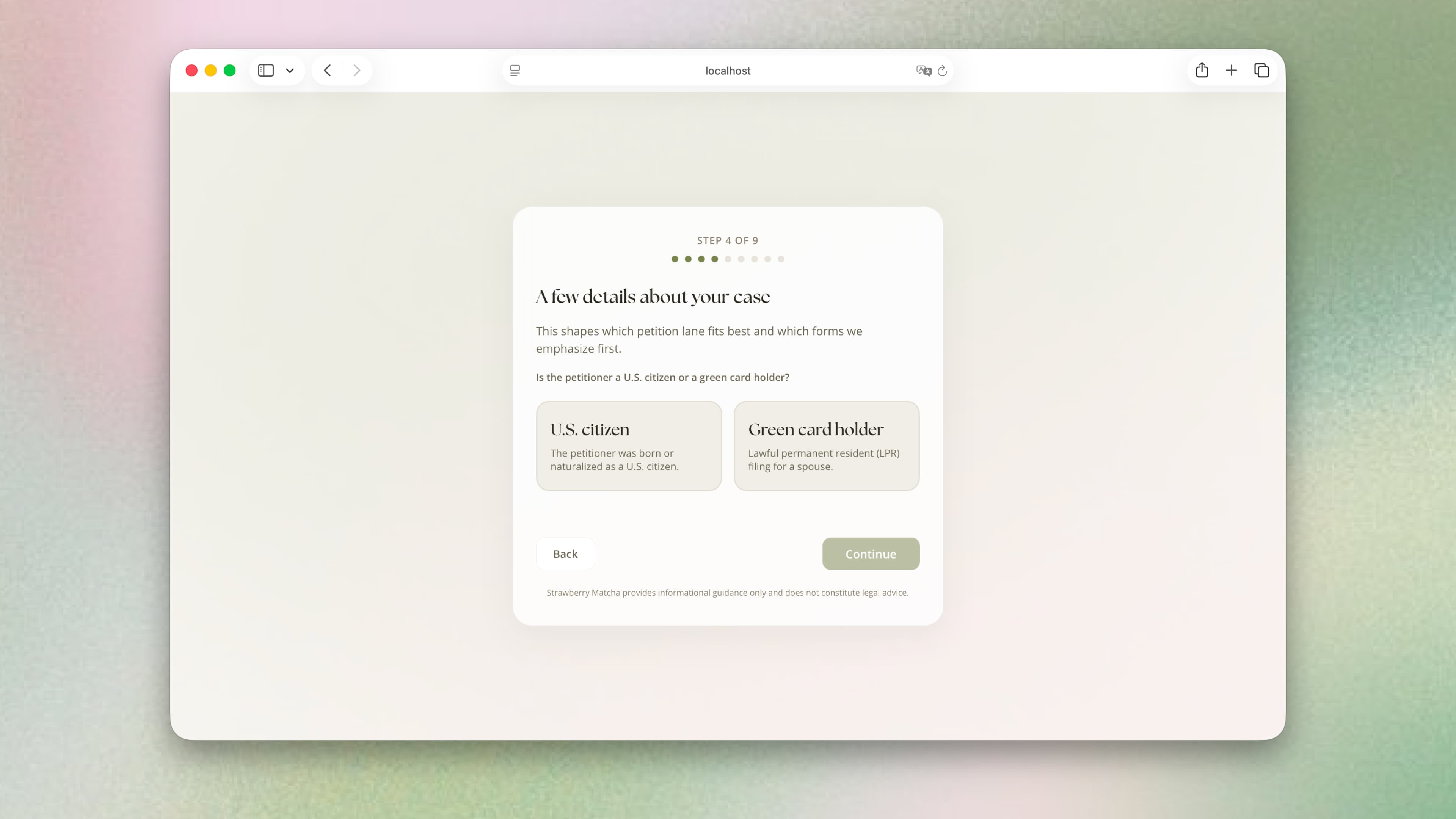
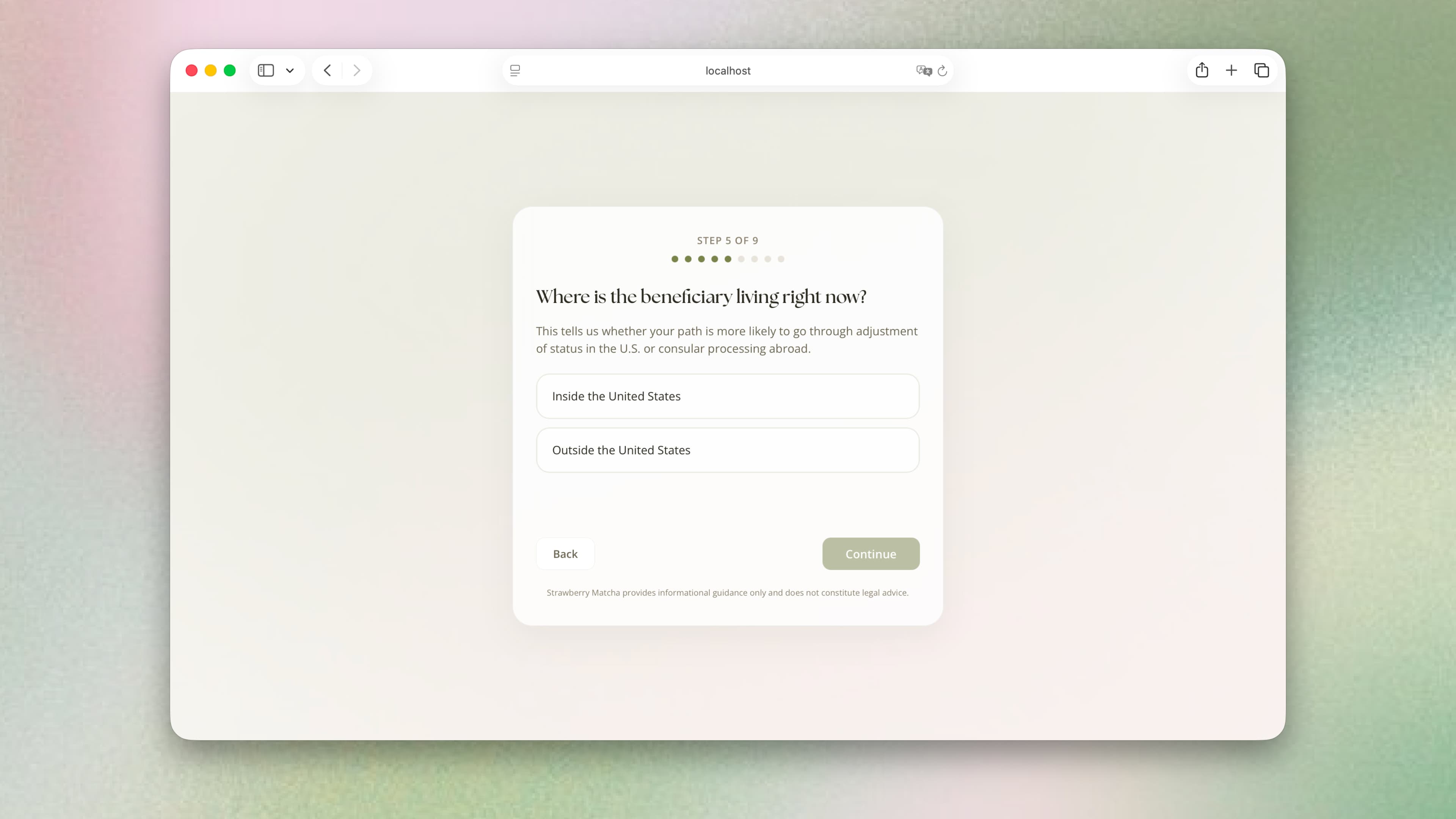
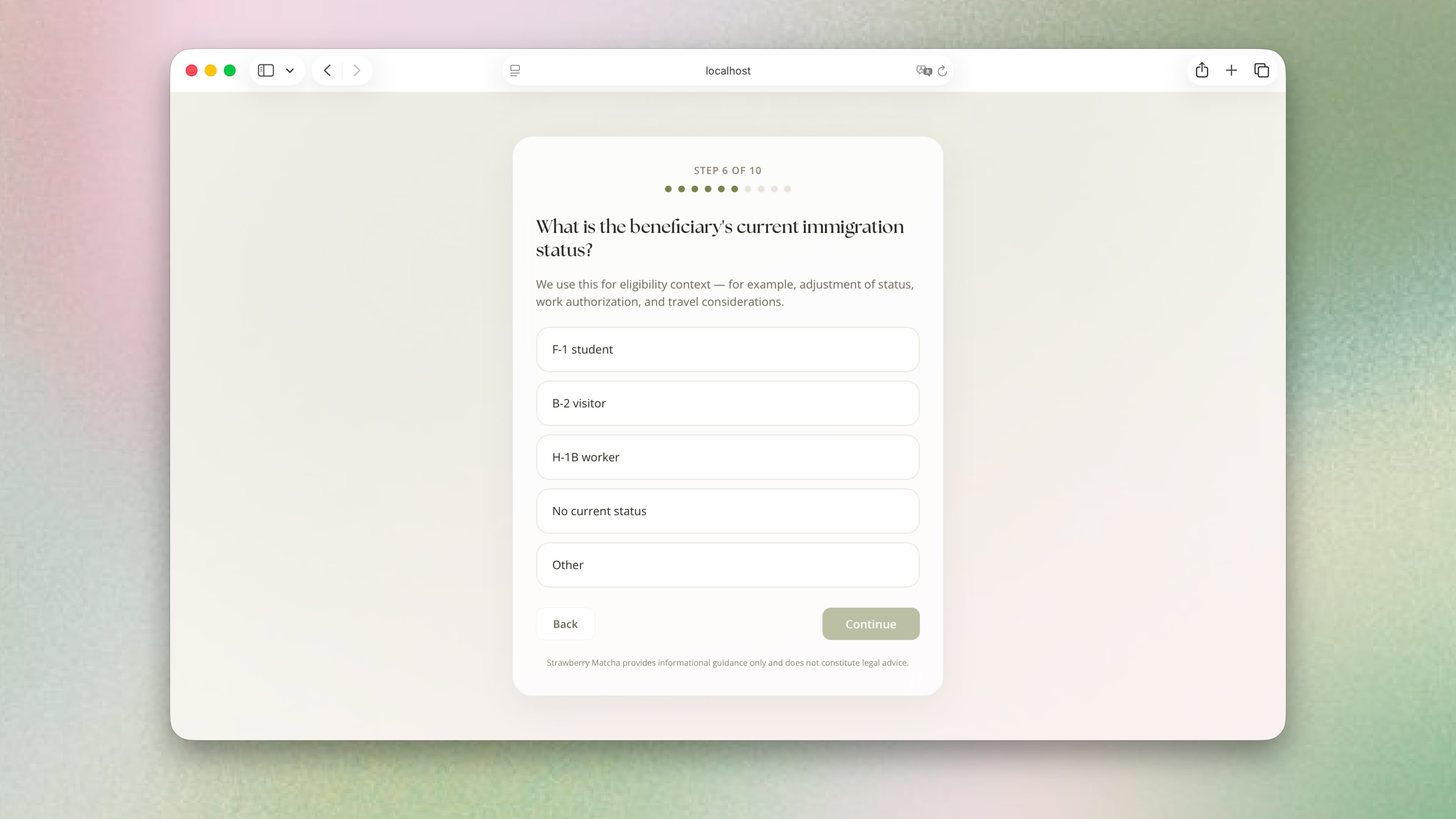
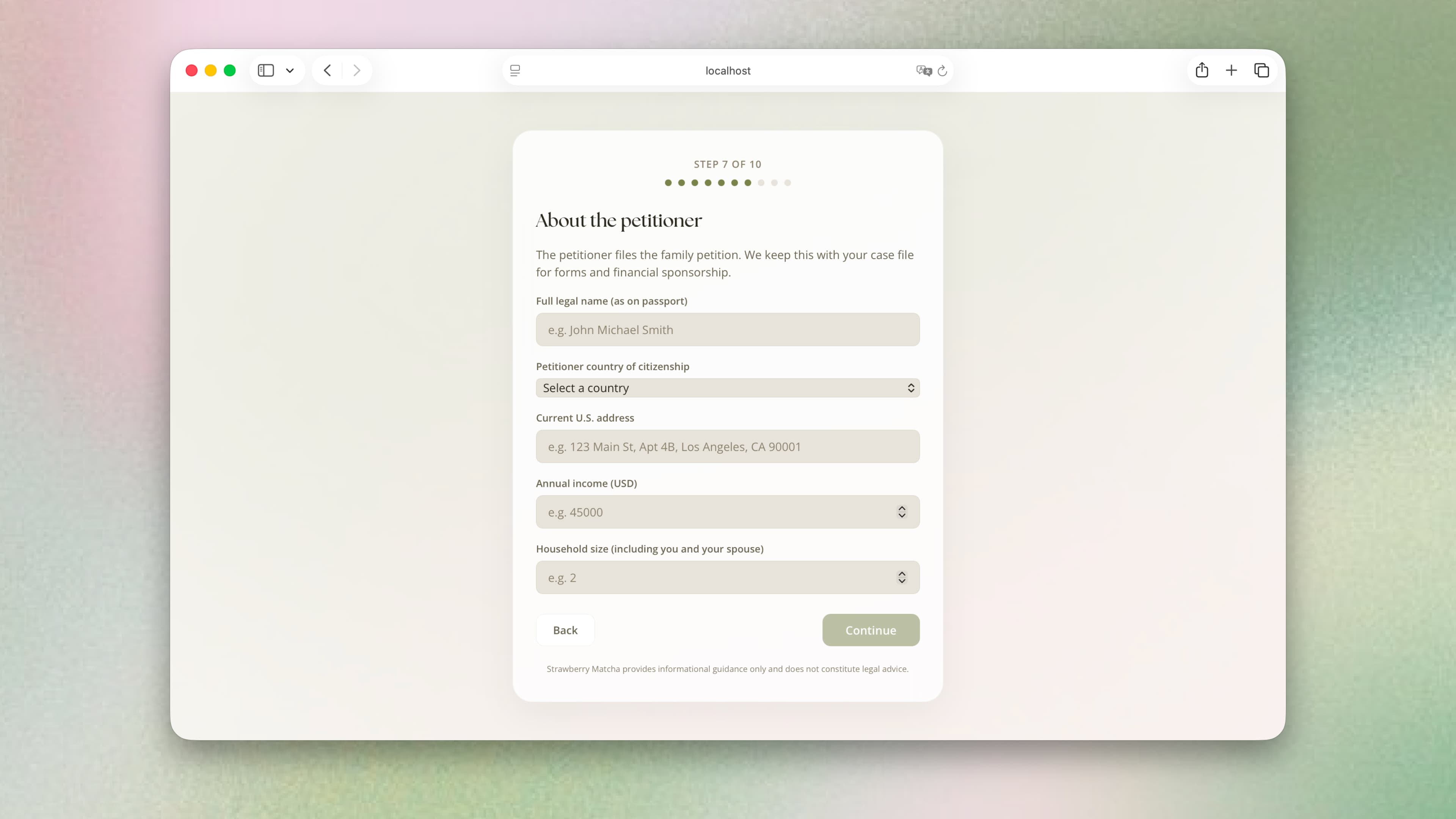
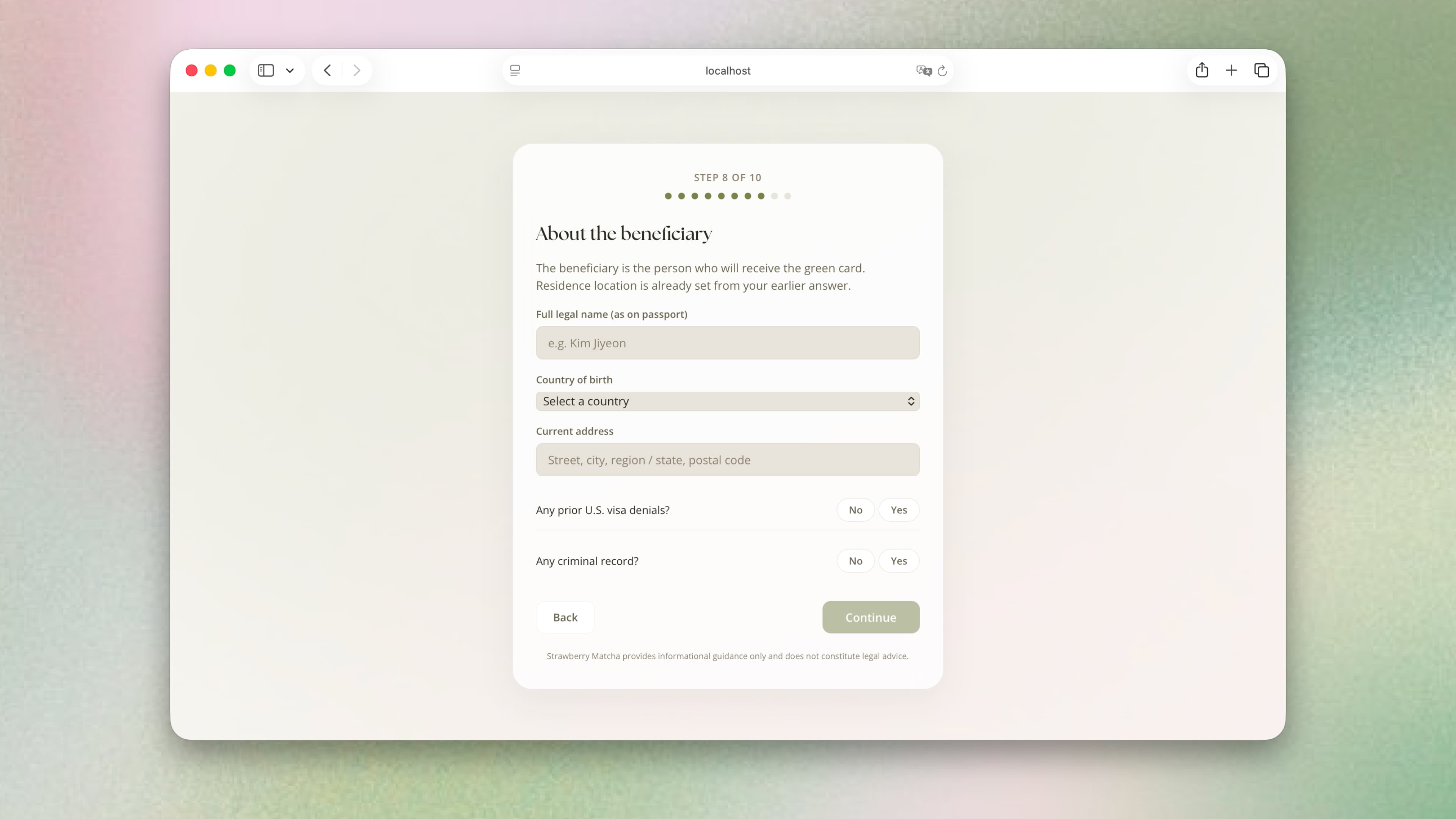
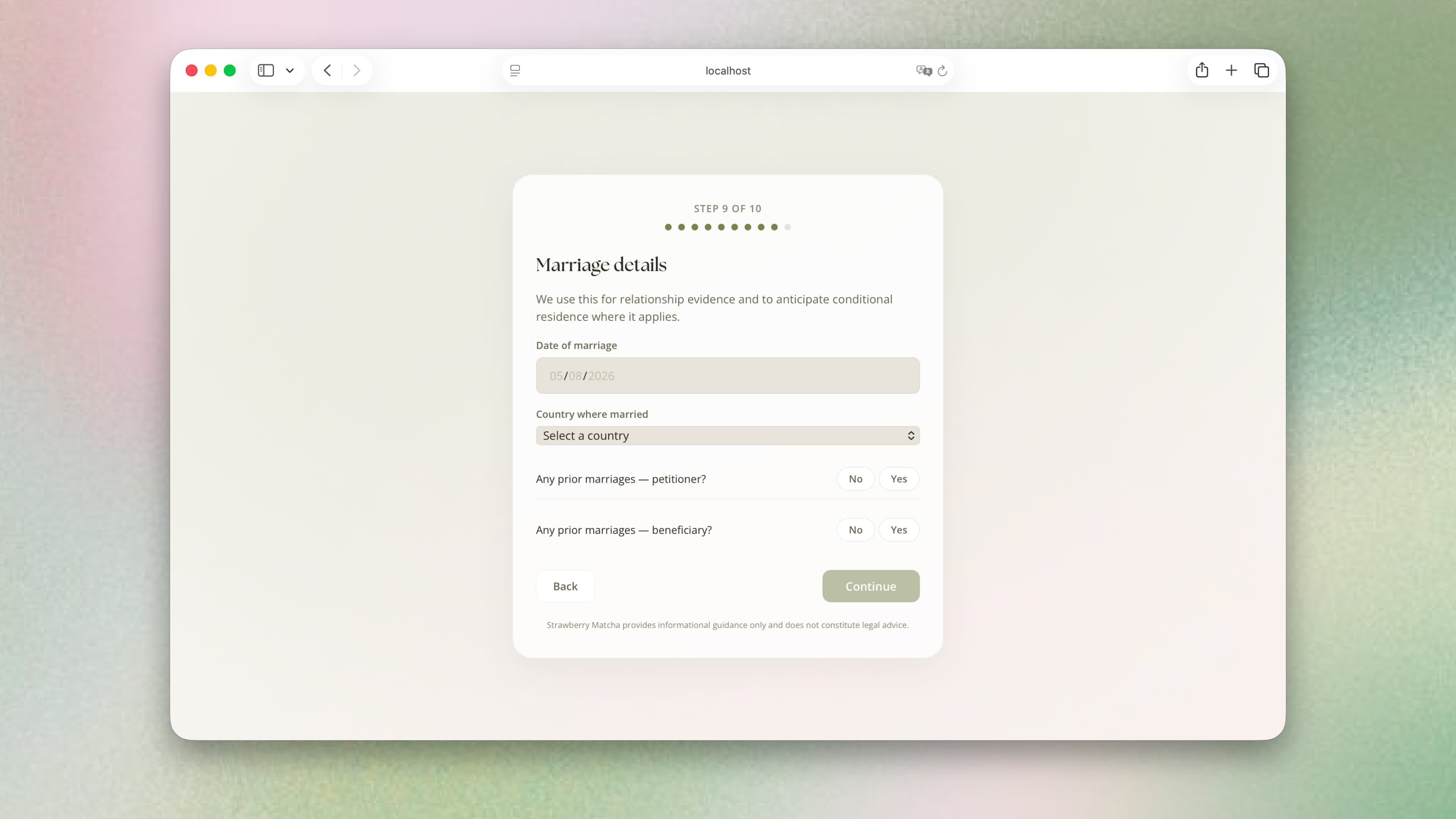
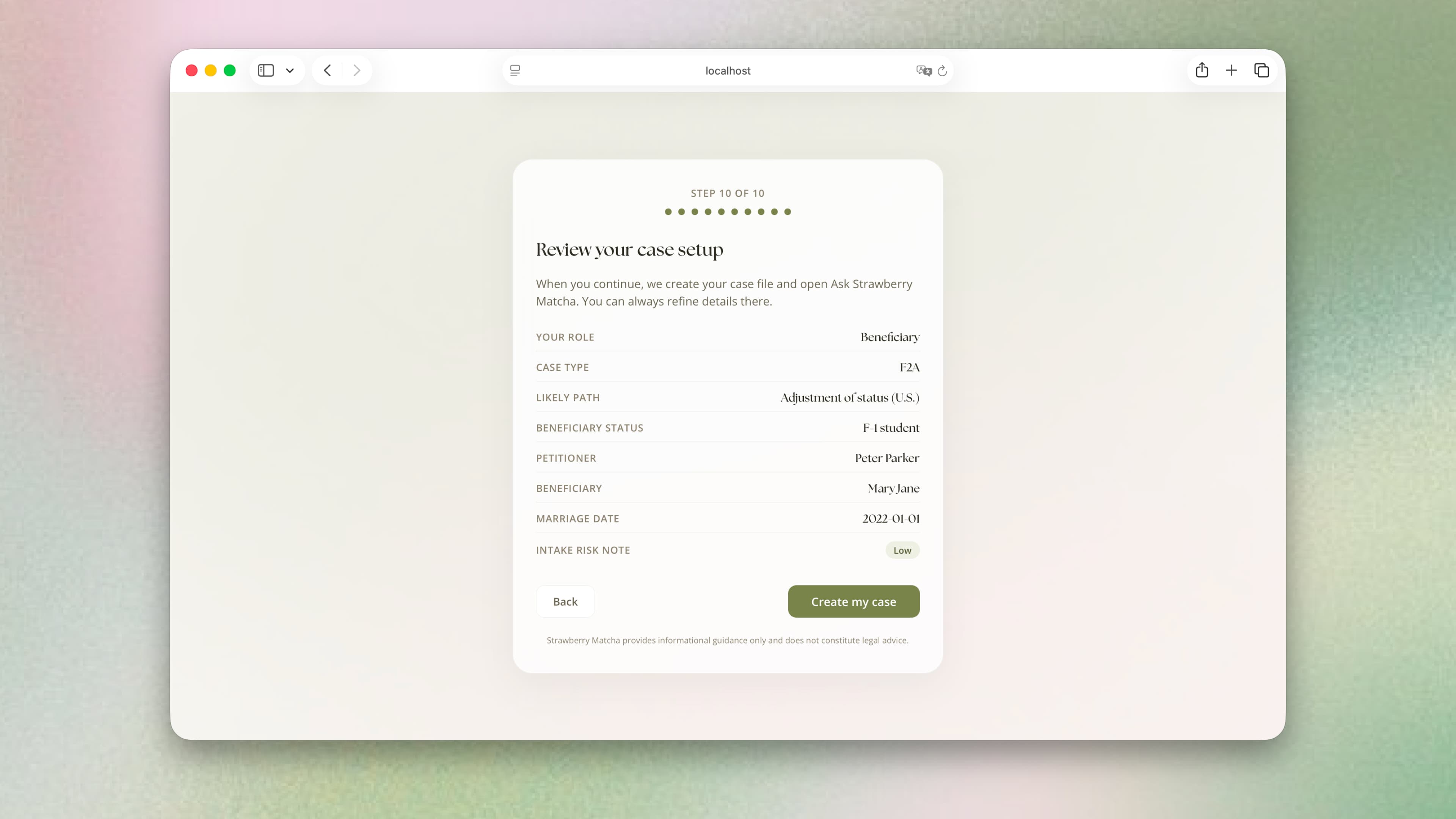
Collecting case context before the first conversation
What I learned
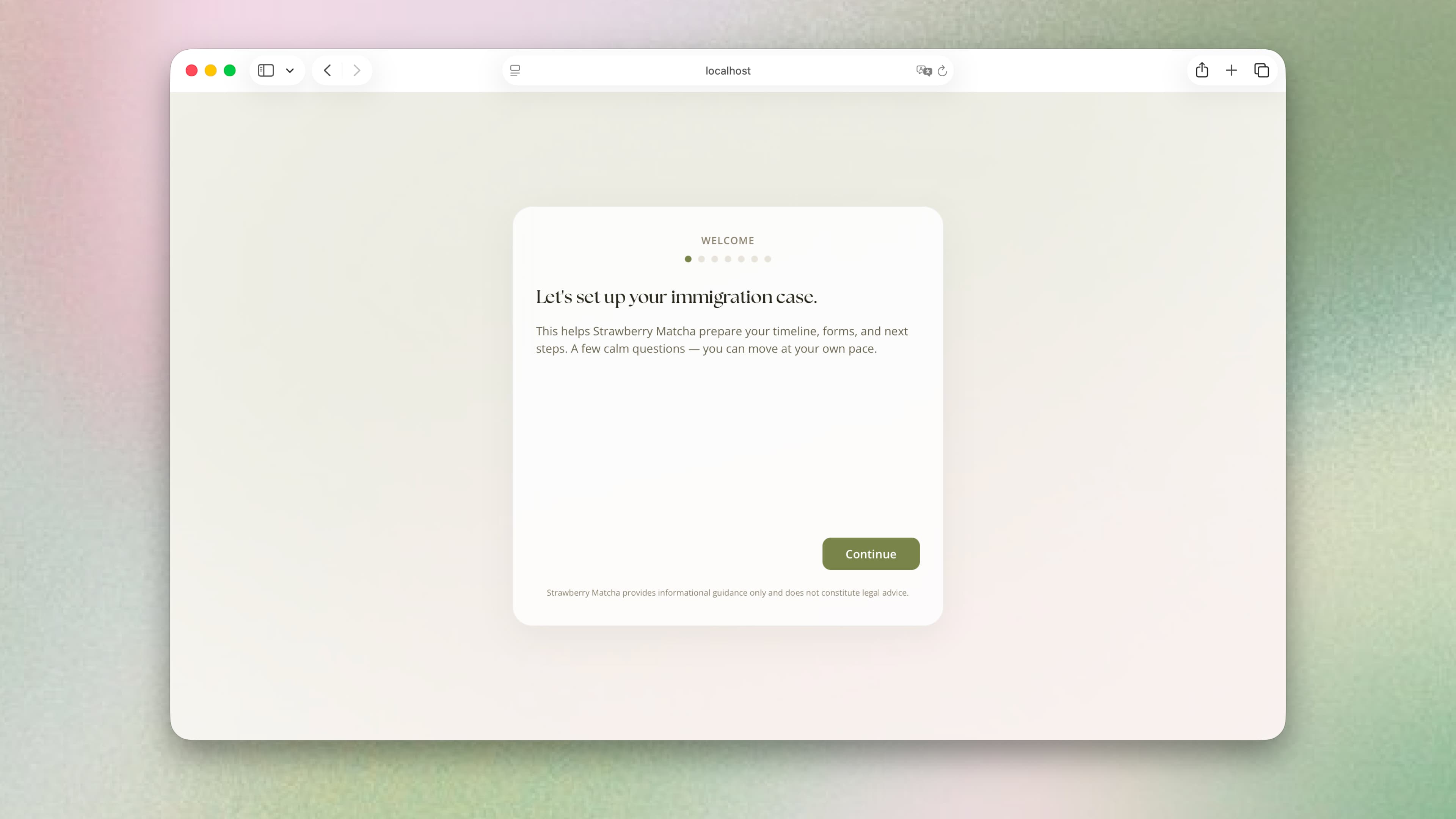
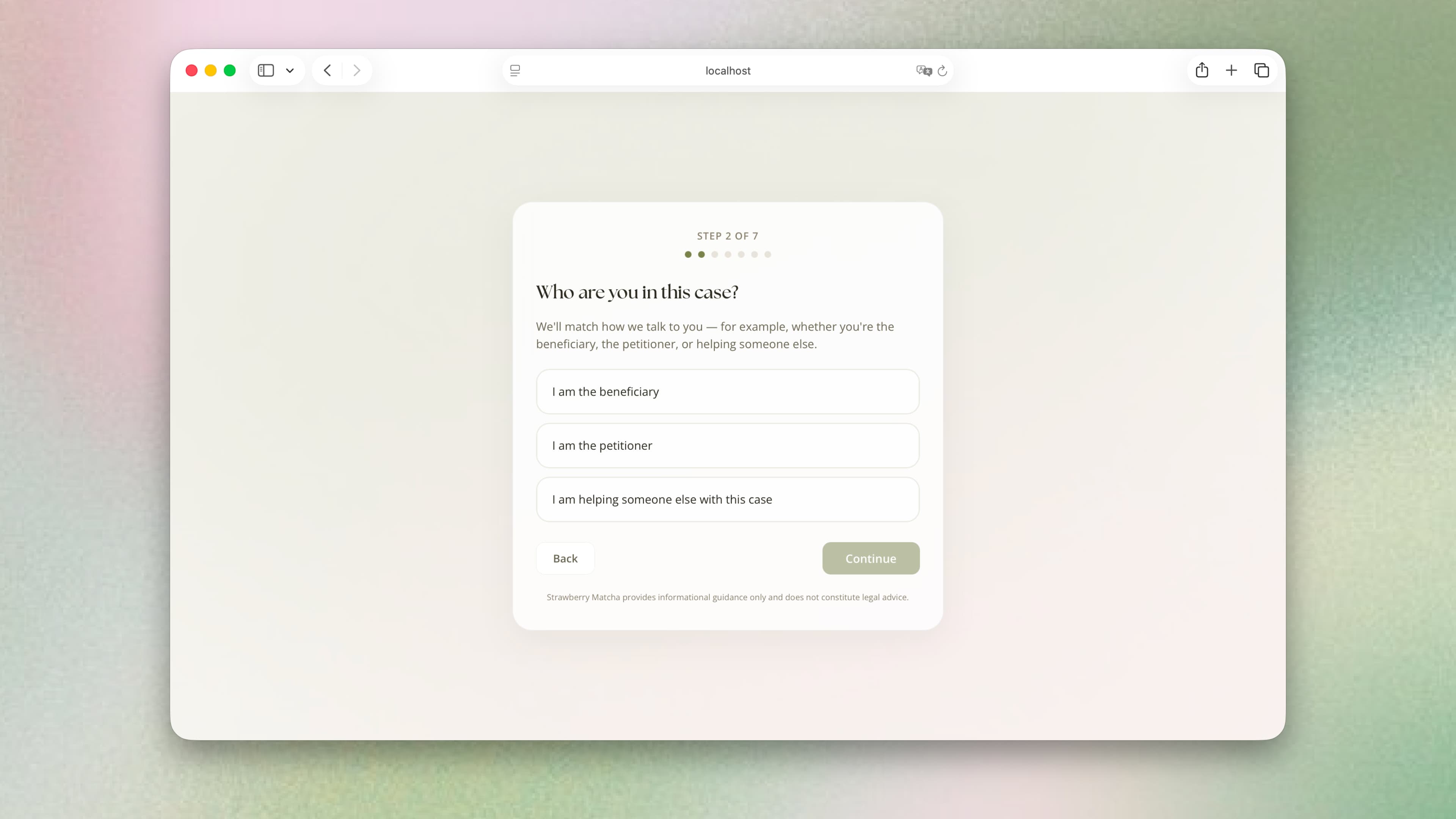
The original onboarding left gaps in the applicant’s case information, and the AI filled them with assumptions. I studied how immigration lawyers intake clients and rebuilt onboarding around those questions.
What I changed
The revised flow collects case details upfront and ends with a summary users can review. I made this change to reduce assumptions at the start of the conversation.
Reflection
This project made me rethink what makes a good product in the AI era
My biggest takeaway was that being able to build a product is only part of deciding whether it is worth building. I now think more carefully about the work customers need done, what it costs to deliver, and why they would trust a business to do it.
Customer need
Help getting an application ready.
I connected intake, guidance, and form preparation to address more of the work applicants seek from an immigration attorney.
Business opportunity
A service applicants could hire.
YC’s focus on selling outcomes shaped my ambition to provide the service itself. If AI lowers delivery costs, that help could become affordable to more applicants.
What I need to test next
I shipped the product. Now I need to test whether it can support a business.
- Demand and trust
- What would applicants pay to hand over, and trust us to do?
- Quality and cost
- How much human review is needed, and can the price cover it?
- Scope and permissions
- What can the service commit to delivering, and what qualifications and permissions would that require?